
Display, sound and the screen saver
Where: Settings > Display and sound
Before you begin: disarm the system.
- Adjust Brightness for comfortable reading.
- Adjust Volume for everyday sounds.
- Switch Key clicks on or off.
- Choose Screen saver to select the idle delay.
- Adjust Screen saver brightness independently of normal brightness.
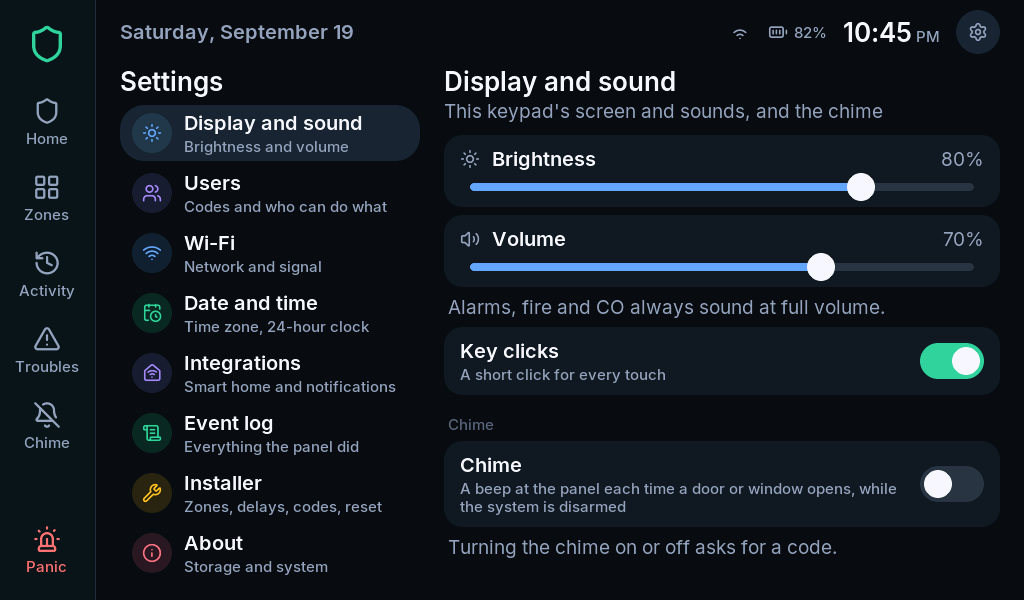
The volume control does not reduce alarm, fire or CO sounds: those use full volume. Chime has its own on/off control and may require a code.
Clock format
Section titled “Clock format”Open Settings > Date and time to choose the 24-hour clock. Time zone and time-server changes require a master or installer code; see network and time.
Screen saver
Section titled “Screen saver”The screen saver shows a photo, the time and the alarm state. Tap to wake the screen. Changing its idle delay does not change an entry or exit countdown.
Custom photo selection from an SD card is not covered as a finished feature in this edition. Use the available screen-saver controls shown by your firmware.