
Installer access and code recovery
Enter installer mode
Section titled “Enter installer mode”- Make sure every partition is disarmed and the system is not sounding an alarm.
- Open Settings > Installer.
- Select Enter the installer code and authenticate.
- Confirm that the installer menu is available.
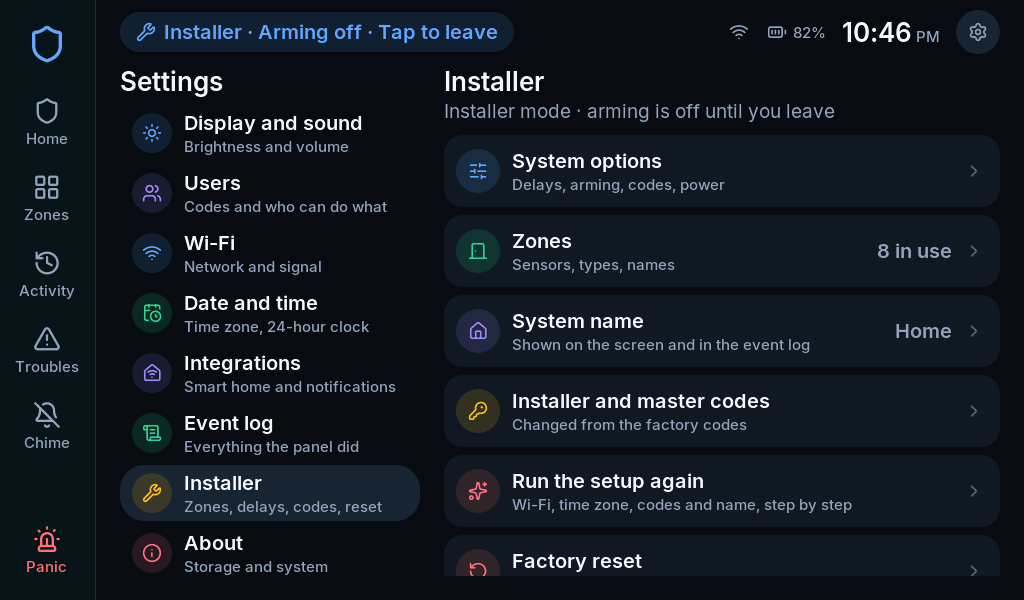
Arming is blocked while installer mode is active. Fire, CO, 24-hour zones and panics remain live. The session ends after 15 minutes without activity.
When finished, select Leave installer mode. Confirm the panel returns to ordinary operation before testing arming.
Reset installer or master codes
Section titled “Reset installer or master codes”In installer mode, open Installer and master codes. Choose the relevant code and enter its replacement twice. This route does not require the old value.
The installer can reset the system master code but does not manage household users. After handover, the master uses Settings > Users.
If the installer code is lost
Section titled “If the installer code is lost”When Installer code recovery is enabled, the touchscreen provides a recovery route during the first two minutes after power-up, with every partition disarmed. Follow the offered recovery confirmation, then set a new installer code.
Arrange an authorized restart before using this route. Do not interrupt an active alarm to try recovery. If the option was disabled or the system is armed, this route is unavailable.
Factory reset is a separate action
Section titled “Factory reset is a separate action”Factory reset erases configuration and returns the system to setup and factory codes. Its confirmation can also request event-log erasure. It is not the normal way to fix pairing, change Wi-Fi or recover a master code.
General configuration backup/restore is not a completed workflow in this edition. Do not reset on the assumption that the current installation can be restored from a backup.