
Delays and system options
Where: Settings > Installer > System options.
Record the original settings and change only what the installation needs. Leave the page to apply its programming, then verify the result during commissioning.
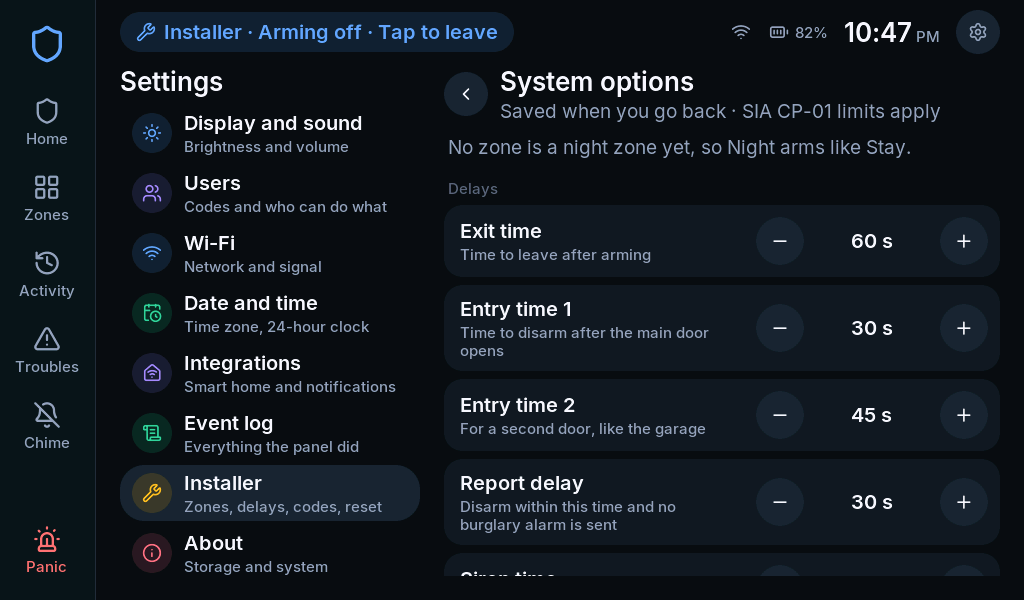
Delays
Section titled “Delays”| Setting | Meaning |
|---|---|
| Exit time | Time allowed to leave after arming |
| Entry time 1 | Time to disarm after an Entry/exit 1 input |
| Entry time 2 | Time to disarm after an Entry/exit 2 input |
| Report delay | A burglary reporting delay; does not create entry time for an instant zone |
| Siren time | How long a burglary alarm sounds |
The interface enforces valid ranges. Avoid shortening a delay simply to make a demonstration faster. Instant arming removes entry delay regardless of the normal entry-time setting.
Arming
Section titled “Arming”- Auto-stay: keypad Away can become Stay when nobody leaves through an entry/exit door.
- Exit beeps: controls Away exit sounds.
- Arm without a code: permits keypad quick arming; disarming still needs a code.
- Arm remotely without a code: separate policy for supported remote commands. The Home Assistant integration described here still asks for a user code.
- Quick exit: permits restarting exit time without a code while in Stay or Night, through supported controls.
Code and chime policy
Section titled “Code and chime policy”Chime needs a code chooses whether the household must authenticate to toggle chime.
Shortest new code sets the minimum for new and changed codes; existing shorter codes keep working. Wrong codes before lockout and Lockout time control repeated failed entry attempts.
Power and recovery
Section titled “Power and recovery”Come back armed after a power cut controls restoration of the armed state. Installer code recovery controls the brief recovery window after power-up.
Explain these choices at handover. Disabling recovery can make a lost installer code unrecoverable through the ordinary screen flow.