
Set up zones and sensor sources
Where: Settings > Installer > Zones
Access: installer mode, with the system disarmed.
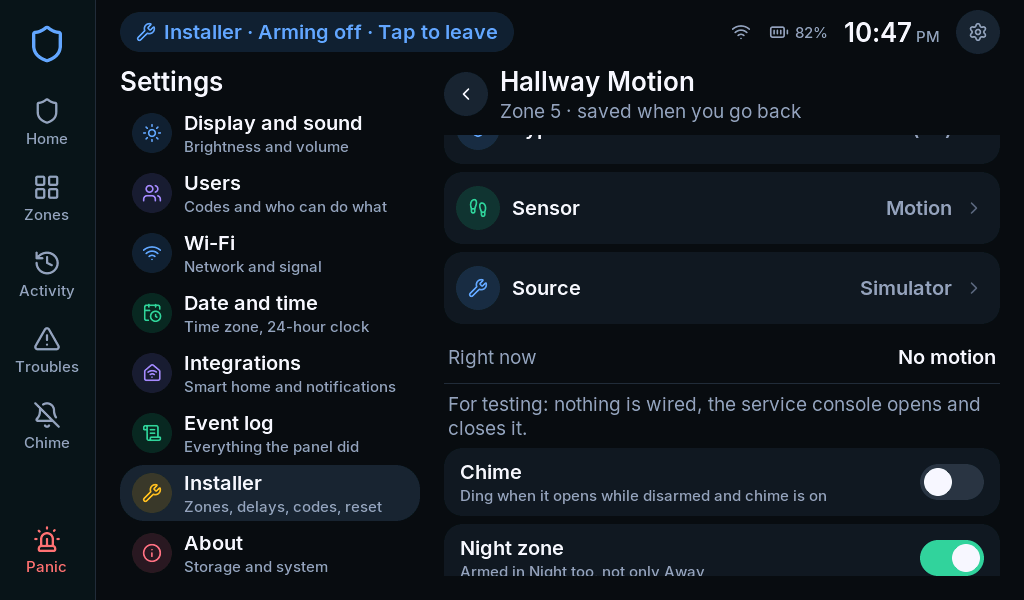
A zone combines two decisions: how the alarm reacts and which sensor supplies the state. Choosing a sensor icon is not the same as connecting a sensor source.
Add or edit a zone
Section titled “Add or edit a zone”- Open Zones from the installer menu.
- Select an existing zone or Add a zone.
- Set Name to a physical location, such as Front Door.
- Choose Type for the intended alarm behavior.
- Choose Sensor for the icon and open/closed wording.
- Open Source and select the input that will feed this zone.
- Review the applicable zone options.
- Go back to save the zone’s programming, then verify it in the ordinary Zones list.
Common behavior choices
Section titled “Common behavior choices”| Type | Typical intent |
|---|---|
| Entry/exit 1 | The main entry route, using Entry time 1 |
| Entry/exit 2 | A second delayed entry route, using Entry time 2 |
| Perimeter | An opening that should alarm immediately when armed |
| Interior follower | Interior detection in Away; follows an entry sequence when configured appropriately |
| Interior with delay | Interior detection that starts its own entry delay |
| 24-hour / fire / CO types | Specialized behavior that can remain active while disarmed |
Select specialized types only when the source and installation support their purpose. A generic Home Assistant entity or unsupervised radio input is not automatically suitable for fire, CO or panic.
Bind the source
Section titled “Bind the source”The source picker lists what this build provides. For a Home Assistant input, pair the integration and share the desired entity first, then follow Use Home Assistant sensors.
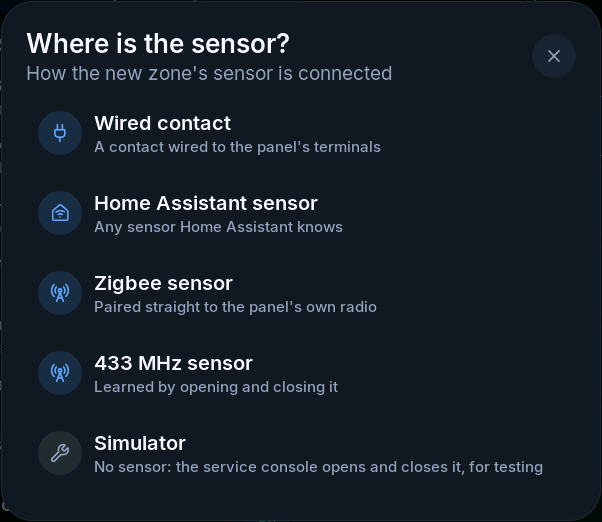
A Simulator source is a test input. It does not monitor a real door. Remove or replace example bindings before treating a system as an installation.
Review zone options
Section titled “Review zone options”- Chime: this zone can sound when it opens while disarmed and global chime is on.
- Night zone: an eligible interior zone is also watched in Night.
- Can be bypassed: controls permitted bypassing for eligible types.
- Report this zone: controls reporting; disabling it retains local event history.
Verify each zone
Section titled “Verify each zone”Operate only the intended input and confirm the named zone changes, then restores. Check the normal and active states separately. Review unreachable/tamper behavior where supported. See commissioning before handover.